
QuickBooks for Property Management: A Step-by-Step Guide
If you're managing rentals in a spreadsheet right now, the pain usually shows up the same way. Rent hits one account, a repair bill lands on a credit card, a deposit sits in the wrong bucket, and by month-end you're piecing together what happened property by property. The books may look close enough for a glance, but they don't hold up when an owner asks for a clean report or when tax prep starts.
QuickBooks for property management works best when you stop treating it like a generic bookkeeping file and start using it as an operating system for financial control. It wasn't built as a dedicated property management platform, but it can be adapted to track rent, deposits, and property-level financials through classes, tags, sub-customers, and a disciplined account structure, which is why many managers still rely on it for reporting and visibility into owner performance, vacancy-related losses, and rising expenses, as noted in this property management QuickBooks overview.
The difference is setup. A clean QuickBooks file supports your daily posting, your monthly close, and your owner-level reporting. A messy one creates rework, bad reports, and expensive corrections later.
Table of Contents
Building Your Financial Foundation in QuickBooks - Start with the chart of accounts - Use one class per property - Sample chart of accounts for property management
The Tenant Lifecycle Rent Payments and Security Deposits - Set up the customer hierarchy correctly - Handle rent and deposits differently - What this looks like in real life
Managing Expenses and Owner Payouts - Code expenses with property intent - Set owners up as vendors - A simple review routine before money goes out
Your Month-End Close and Essential Property Reports - A close process that catches errors early - The reports that actually matter - Where QuickBooks starts to strain
Common Pitfalls and Next-Level Integrations - Mistakes that break property books - What QuickBooks does not do well - When to add dedicated property software
Why Your Spreadsheet Is Costing You Money
Spreadsheets feel cheap until they start hiding problems. A missed formula, an overwritten row, or an uncategorized transfer can distort property performance without anyone noticing until weeks later. In property management, that delay matters because cash decisions happen daily, not once a quarter.
The true cost isn't the spreadsheet file itself. It's the time spent reconciling work that should have been structured correctly from the start, plus the risk of making decisions from incomplete numbers. If one property is carrying too much maintenance expense or another is underperforming because of vacancy, you need that visibility while you still have time to respond.
A basic spreadsheet also doesn't create a reliable accounting trail. You can list rent, deposits, repairs, and owner draws, but it gets messy fast when multiple properties share vendors, bank activity, and recurring transactions. That's where many managers outgrow manual tracking and need a system that can hold daily bookkeeping and reporting in the same place. If you're still patching together income and expense tracking in a workbook, this guide on a small business spreadsheet for income and expenses shows why that approach reaches a limit.
Spreadsheets can summarize activity. They don't enforce accounting discipline.
QuickBooks changes the job from manual compilation to controlled recording. Done properly, it becomes the place where each transaction is coded once, attached to the right property, and available later in usable reports. That matters when an owner asks why distributions are lower, when a tenant deposit must be refunded accurately, or when you need to explain a swing in expenses without digging through tabs and formulas.
Building Your Financial Foundation in QuickBooks
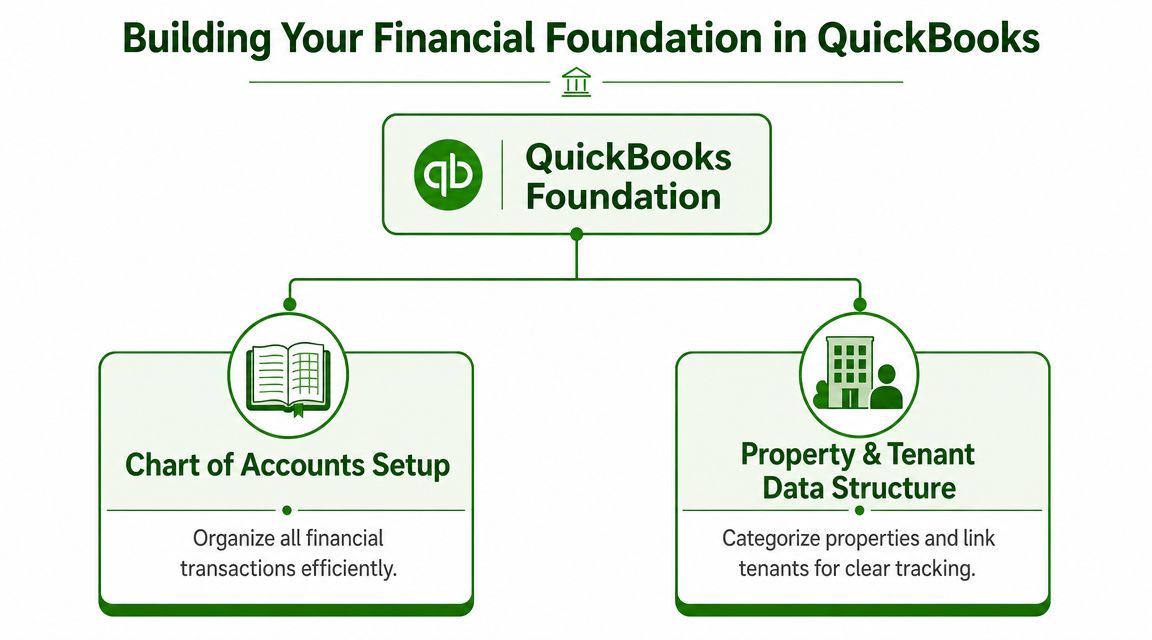
Most property management bookkeeping problems start with file structure, not with data entry. If the chart of accounts is vague and the property tracking method is inconsistent, every report after that becomes questionable.
Start with the chart of accounts
Build the chart of accounts around how property money moves. You want clear separation between operating income, liability balances, bank activity, and expenses. Generic accounts like “Income” or “Repairs” are too broad when you're trying to answer owner questions later.
At minimum, separate these areas:
Rental income: Use dedicated income accounts for rent and any other recurring property income you track.
Security deposits: Record these to a liability account, not income.
Bank balances: Keep operating cash and any deposit holding accounts clearly distinguished.
Expenses: Break out categories that matter operationally, such as repairs, utilities, management fees, and maintenance.
The reason for this detail is simple. Property management bookkeeping isn't just about tax prep. It's about being able to explain what happened at a property without recoding the books after the fact.
Use one class per property
This is the core move in QuickBooks for property management. QuickBooks is not a native property-management ledger, so multi-property reporting depends heavily on class tracking. Intuit documents that you can enable classes in settings, assign classes to transactions, and run reports by class, which is what makes property-by-property bookkeeping workable in QuickBooks, as shown in Intuit's class tracking guidance for property management workflows.
Use a single, consistent rule: one property equals one class.
That means every rent receipt, bill, expense, journal entry, and owner-related transaction tied to a property gets a class. If a transaction serves more than one property, split it intentionally. Don't leave it blank and plan to fix it later.
Practical rule: If a transaction affects property performance, it should carry the property class before the books are closed.
Managers who skip this step usually end up with a decent-looking general ledger and unusable property reports. The file may reconcile, but the reporting won't answer the questions that matter.
A professional setup also needs a workable support structure around classes. Experienced QuickBooks bookkeeping services often prevent months of cleanup, because the file design determines whether reporting stays clean as the portfolio changes.
Sample chart of accounts for property management in QuickBooks
Account Type | Detail Type | Account Name |
|---|---|---|
Income | Rental Income | Rent Income |
Other Current Liability | Trust Accounts Liabilities | Security Deposit Liability |
Bank | Checking | Property Operating Bank |
Bank | Savings | Security Deposit Bank |
Expense | Repairs and Maintenance | Repairs and Maintenance |
Expense | Utilities | Utilities Expense |
Expense | Management Fees | Management Fees Expense |
Equity | Owner's Equity | Owner Draws or Distributions |
A good foundation also keeps your list structure clean. Don't create a new expense account every time a new vendor appears. Use vendors for who was paid, accounts for what was paid for, and classes for which property it belongs to. Those three layers solve different problems, and mixing them creates reporting noise.
The Tenant Lifecycle Rent Payments and Security Deposits
Tenant activity is where many QuickBooks files go off course. The issue isn't that rent and deposits are hard to enter. It's that they often get entered into the wrong structure, which creates confusion later when you need tenant history, deposit balances, or property-specific receivables.
Set up the customer hierarchy correctly
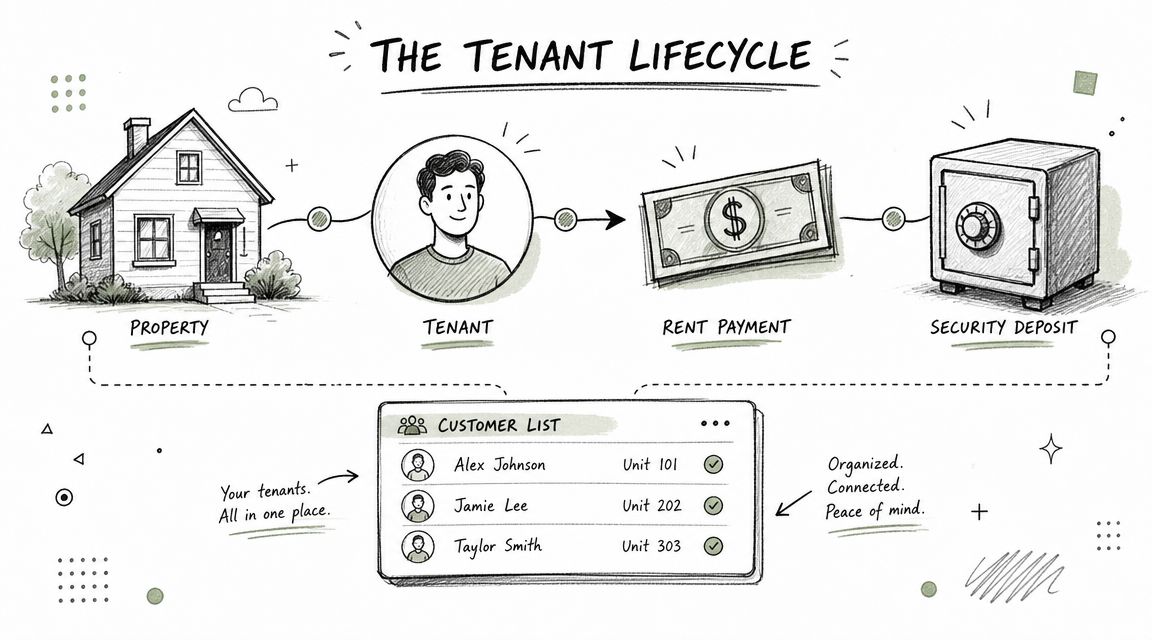
A practical QuickBooks Online setup follows a four-part structure: create each property as a customer, assign tenants as sub-customers under that property, add owners as vendors, and build the chart of accounts so rental income and security deposit liabilities stay separated. That workflow is outlined in this QuickBooks property management setup guide.
That hierarchy matters because it mirrors the actual relationship in your portfolio. The property is the top-level asset. The tenant belongs under it. The owner is someone you may pay, not a customer record.
If you're handling landlord records manually today, these landlord bookkeeping tools and tips pair well with this structure because they keep the operational list organization aligned with the accounting file.
Handle rent and deposits differently
Rent is income. A security deposit is not. That distinction sounds obvious, but QuickBooks files regularly blur the two, especially when cash is received in one payment or one bank feed item.
Here's the clean workflow:
Create the property as the customer Attach the tenant as a sub-customer so their activity rolls up logically.
Set up recurring rent invoices Monthly rent should not be rebuilt manually each cycle if the lease terms are stable.
Receive rent against the rent income workflow Apply the receipt to the tenant activity and assign the property class.
Receive a security deposit to the liability account Do not post it to rent income. It remains money you may owe back.
Track the bank side intentionally If you hold deposits separately, match the accounting to that real-world handling.
One of the easiest ways to overstate income is to let deposits flow into rental revenue. That mistake makes performance look better than it is, then creates a correction problem at move-out.
What this looks like in real life
Take a new lease at Maple Court. The property is already set up as a customer. The tenant is created as a sub-customer under Maple Court. Monthly rent is invoiced on a recurring schedule. The first payment arrives with both the first month's rent and a deposit.
You split the receipt by purpose. The rent portion follows your normal income process. The deposit portion goes to Security Deposit Liability. Both are tagged to the Maple Court class so the property report stays accurate, but only one affects profit.
That distinction is worth seeing in motion:
If a tenant moves out tomorrow, your books should tell you the deposit balance immediately without a spreadsheet on the side.
This is also why sub-customers are useful. They let you keep tenant-level activity visible while preserving property-level reporting. You don't have to choose between the tenant record and the property report if the hierarchy is built correctly on day one.
Managing Expenses and Owner Payouts
Income gets attention because it's visible. Expense coding is where accuracy is won or lost. If the rent side is clean but repairs, utilities, and reimbursements are posted inconsistently, the property P&L stops being dependable.
Code expenses with property intent
Every bill or expense needs three decisions before it is final:
What was it for Choose the correct expense account, such as repairs, utilities, or management fees.
Which property does it belong to Apply the class every time.
Who was paid Use the vendor record for the plumber, utility company, cleaner, or contractor.
This sounds basic, but it prevents a common failure. Teams often enter bills from bank feeds quickly, assign an expense account, and skip the class. The books still reconcile. The property reports subtly break.
For larger bill volume, use a bill workflow instead of posting everything as direct expenses. That gives you better visibility into what is owed, what has been approved, and what has been paid. If you need a cleaner payable process around repair vendors and recurring utilities, this overview of the accounts payable process is a useful companion.
Set owners up as vendors
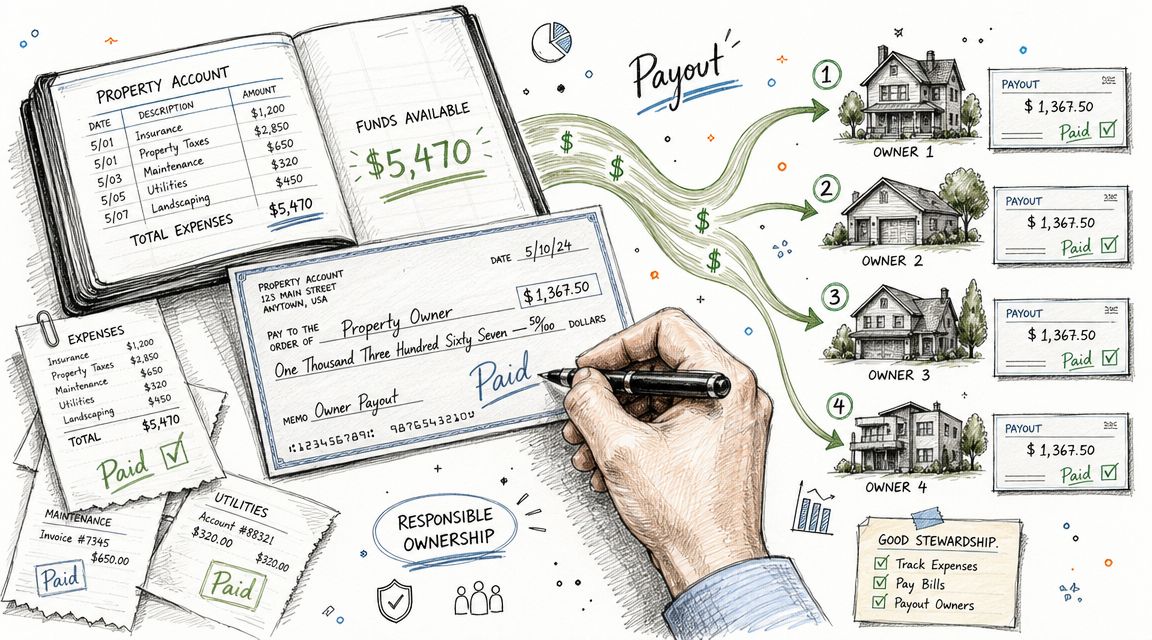
Owners should sit in QuickBooks as vendors when you're recording payouts, reimbursements, or management-fee related payment flows. That structure keeps cash disbursements organized and gives you a cleaner record of what left the business and why.
Use a consistent workflow for owner payouts:
Enter or confirm all property income and expenses first.
Reconcile the bank activity that supports those numbers.
Review whether any deposit-related or reserve-related balances should not be distributed.
Record the owner payout with the correct vendor and property context.
Keep the memo field useful. Write what period or property the payment relates to.
A payout made before the books are cleaned up is usually just a bookkeeping problem scheduled for next month.
A simple review routine before money goes out
Before releasing owner funds, pause for a short review:
Check | Why it matters |
|---|---|
Bank activity is current | Prevents distributions based on stale cash balances |
Open bills are reviewed | Avoids paying owners before known expenses are covered |
Class coding is complete | Keeps the owner statement tied to the right property |
Security deposits are excluded from operating profit | Prevents distributing money that isn't earned |
A disciplined payout workflow also helps when a property has irregular spending. If a roof repair, turnover cost, or utility catch-up bill hits in the same month, the owner report should still tell a coherent story. The point isn't just to pay owners. It's to pay them from accurate books.
Your Month-End Close and Essential Property Reports
A strong setup only matters if the month-end close turns daily entries into reliable reporting. At this stage, property accounting stops being clerical and becomes management information.
A close process that catches errors early
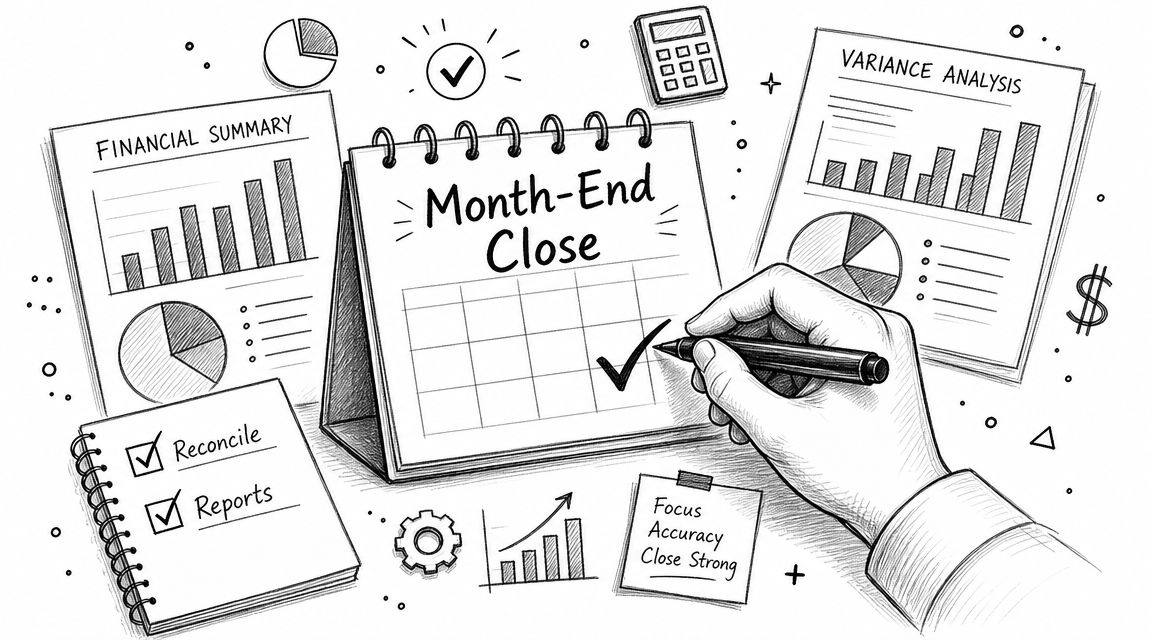
Month-end should be repeatable. Not heroic. A good property close is short, consistent, and focused on the places mistakes usually hide.
Use this checklist:
Reconcile bank and credit card accounts If the cash doesn't match, the reports don't matter.
Review uncategorized or unassigned transactions A missing class is a broken property report.
Verify security deposit balances The liability account should match what you're holding.
Scan for duplicates or miscoded transfers Shared bank activity often creates confusion when several properties run through one account structure.
Lock the period after review Once reporting is final, reduce the chance of accidental back-dating.
If your reconciliation process still feels patchy, this guide to general ledger reconciliation helps tighten the review side so your close produces dependable reports instead of rushed summaries.
The reports that actually matter
Many managers pull too many reports and still miss the one that matters most. In QuickBooks for property management, the core report is Profit and Loss by Class.
That report answers practical questions fast:
Which property is producing usable cash flow
Which one is carrying unusual expense pressure
Whether repairs are isolated or recurring
Whether management fees and common costs are landing where expected
A standard balance sheet still matters, especially for liabilities like deposits and for tracking the bank side correctly. Cash flow reporting matters too. But the class-based P&L is the report owners and managers use most often to understand property performance.
Clean month-end work gives you fewer surprises. More importantly, it gives owners fewer reasons to distrust the numbers.
Where QuickBooks starts to strain
QuickBooks can approximate property-level reporting with classes, but it becomes harder to manage as ownership structures grow more complex. Neutral coverage notes that it struggles with manual multi-entity setups, limited property-level banking features, and the effort required to produce entity-separated financials for mixed portfolios, as described in this analysis of QuickBooks for property portfolios.
That doesn't mean the system fails. It means your close process has to compensate. When one file includes many properties, different ownership groups, or separate LLC requirements, the bookkeeping discipline has to rise with the complexity. Otherwise reporting drifts, and every month takes longer to finish.
Common Pitfalls and Next-Level Integrations
Most QuickBooks failures in property management don't come from the software alone. They come from trying to make one accounting file do jobs it was never designed to handle.
Mistakes that break property books
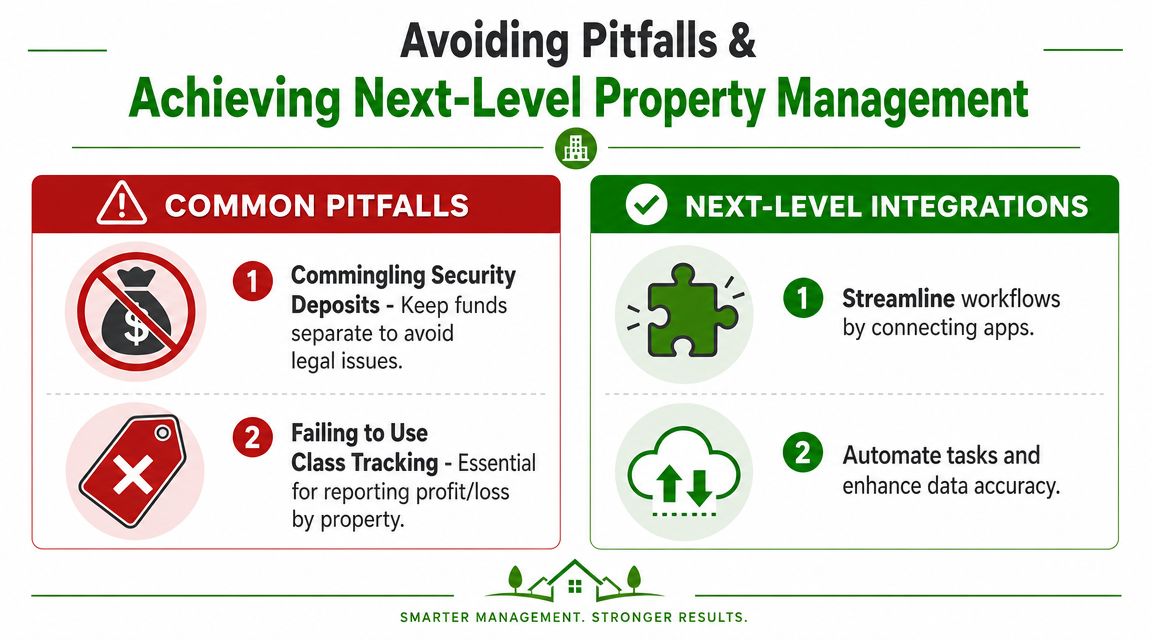
The first common mistake is commingling security deposits with operating activity. Even if the bank balance looks fine, the accounting becomes harder to trust when deposit money isn't clearly separated in both account structure and workflow.
The second is inconsistent class usage. One month the utility bill gets a class. Next month it doesn't. Then someone posts a repair from the bank feed and leaves it uncoded. That file may still reconcile, but property performance won't.
Another issue is treating every outflow as a simple expense. Some property spending belongs in ordinary operating expense. Some does not. If the team doesn't stop and assess the nature of the transaction, reports become less useful to owners and tax professionals alike.
What QuickBooks does not do well
QuickBooks works as the accounting layer. It does not function as a full property operations platform. Intuit's real-estate material makes that limitation clear by positioning QuickBooks for rental-property finance management while property-management guidance also notes the absence of native tools such as tenant portals, lease tracking, maintenance requests, and automated rent reminders. Intuit's Australian pricing page also shows plans starting at $29 per month in that market, which highlights accessibility, but not a complete operational stack, as shown on the QuickBooks real estate page.
That distinction matters because many teams expect one system to cover leasing, communication, rent operations, and bookkeeping. QuickBooks won't do all of that cleanly on its own.
When to add dedicated property software
The handoff point is usually obvious in practice. If you're tracking lease events outside QuickBooks, managing maintenance in email, and manually pushing rent activity into the books, you've outgrown a QuickBooks-only workflow.
Add dedicated property management software when you need:
Tenant-facing tools Portals, communication, payment workflows, and lease-related records.
Maintenance operations Request tracking, vendor coordination, and work-order visibility.
Less duplicate entry Fewer manual handoffs between property operations and accounting.
Cleaner scaling More structure when the portfolio expands across properties, units, and owners.
The best arrangement for many teams is simple. Use QuickBooks as the accounting backbone. Use property management software for leasing, maintenance, and tenant operations. Let each system do the job it handles best.
If you need help building or cleaning up a QuickBooks file for rentals, Book Tech LLC helps property managers and real estate operators turn messy books into accurate, tax-ready financials. From monthly bookkeeping and catch-up work to reconciliations, A/P, A/R, and QuickBooks Online support, the team can help you set up a property accounting workflow that holds up at month-end.
