
Xero Accounts Payable Workflow: A Small Business Guide


A supplier emails an invoice while you're finishing payroll. Later, someone downloads the same invoice from the vendor portal and adds it to Xero. Both bills look ready to pay, but nobody has checked whether they represent the same purchase or whether the delivery was complete.
That's the situation a disciplined Xero accounts payable workflow should prevent. Your job isn't to enter invoices neatly. It's to make sure each obligation is genuine, approved, paid correctly, and supported by a matching bank transaction.
Table of Contents
Why Accounts Payable Matters More Than Data Entry - Separate the obligation from the cash movement
Entering and Coding Bills in Xero - Review the substance before saving
The Approval Lifecycle From Draft to Authorised - Xero Bill Lifecycle States and Their Accounting Effect - Give the approver a defined decision
Scheduling Payments and Reconciling the Bank - Choose a payment cadence you can control - Match the payment without recording the expense twice
Approval Controls and Segregation of Duties - Build a maker-checker process around actual permissions
Handling Duplicates Disputes and Foreign Currency Bills - Common AP Exceptions and Where They Land in Xero - Keep currency evidence separate from purchase evidence
Closing the Month With Confidence - Reconcile the accounting picture - Turn reviewed payables into a cash plan
Why Accounts Payable Matters More Than Data Entry in Xero
Consider a hypothetical contractor whose office administrator receives a materials invoice. The administrator enters it correctly, but the site manager hasn't confirmed delivery. The owner sees the bill in the payment queue and assumes someone else checked it.
The data entry was accurate. The control process wasn't.
If the contractor pays for undelivered materials, the owner must recover the money or negotiate a credit. If someone enters the invoice again, the business might also pay twice. Either situation leaves the bookkeeper explaining a bank withdrawal that shouldn't have happened.
Separate the obligation from the cash movement
Accounts payable means money your business owes suppliers. Accounts receivable means money customers owe you. Xero distinguishes them using ACCPAY for supplier bills and ACCREC for customer invoices; its accounting documentation also establishes that authorising a bill creates the journal entries that record the obligation in the ledger (Xero's invoice accounting model).
That distinction matters because receiving an invoice and paying it aren't the same event. Your business needs to understand its obligations before cash leaves the bank.
For practical control purposes, organize AP around these stages:
Capture: Record the supplier's request and preserve the evidence.
Approval: Confirm the purchase, delivery, coding, and authority.
Payment: Choose the payment date and release funds through an approved process.
Reconciliation: Match the recorded payment to the actual bank movement.
Practical rule: A bill that looks complete isn't necessarily a bill that's safe to pay.
Each handoff should answer a different question. Did we receive the invoice? Do we owe it? Should we pay it now? Did the intended payment leave the bank?
This approach also gives suppliers clearer answers. Instead of searching inboxes, you can explain whether their invoice needs supporting information, awaits approval, or has entered the payment process.
Entering and Coding Bills in Xero
Start in Xero's Bills to pay workspace and work from the draft queue. Treat that queue as an inbox for accounting review, not a list of approved spending.
Choose an intake method that fits the document. Manual entry suits an unusual bill that needs close attention. Uploading a file or forwarding an invoice email can reduce retyping, while a repeating template suits a predictable recurring supplier. These capture options belong to Xero's broader bill workflow.
In August 2024, Xero announced file upload and drag-and-drop capture, extraction into draft bills, attached source documents, quick-view approval, and potential-duplicate alerts, with availability across business-edition plans intended by year-end (Xero's accounts payable expansion announcement). Treat extracted information as a starting point, not verified accounting.
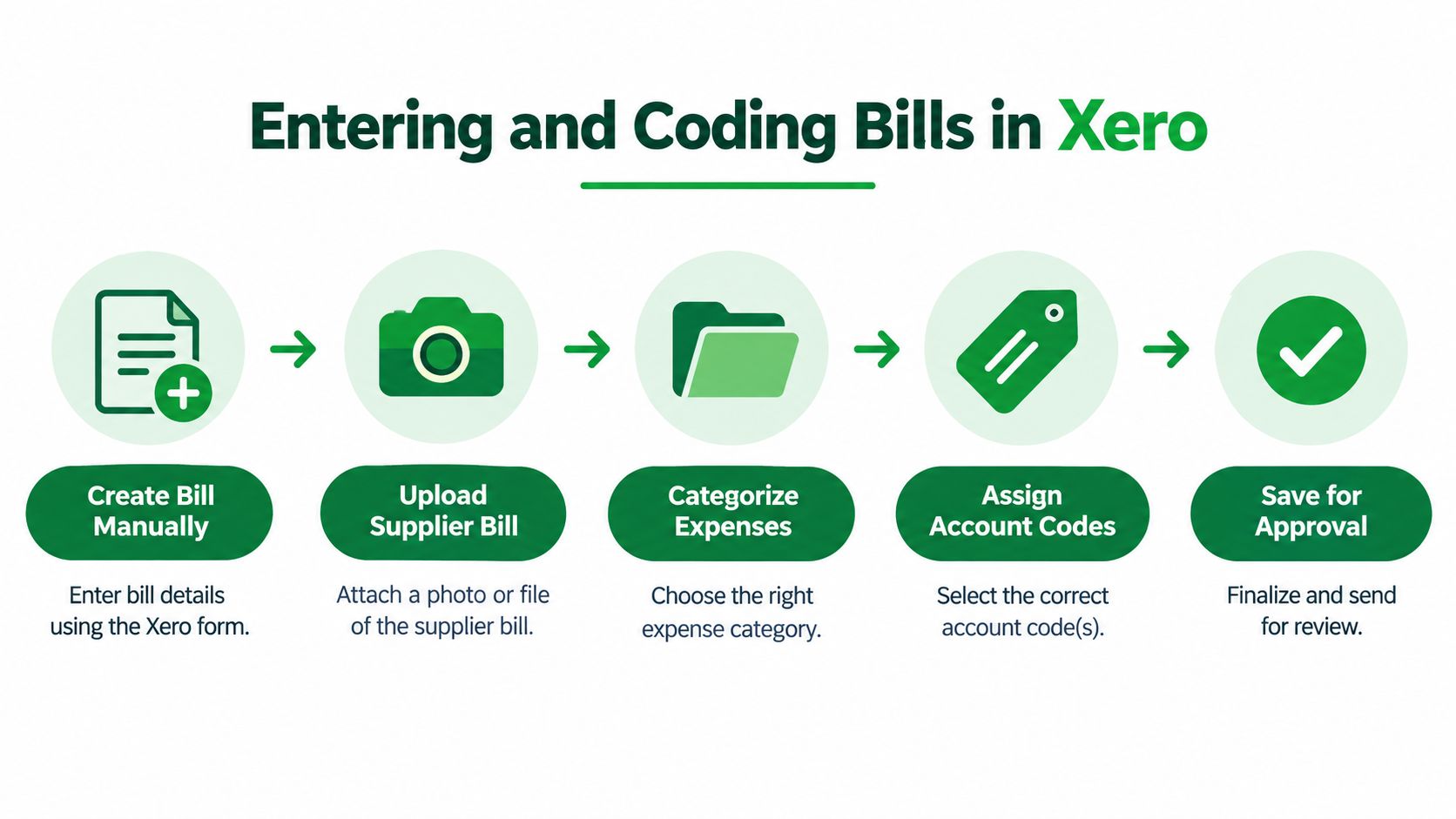
Review the substance before saving
Use the visual as a review sequence, not a requirement to enter a bill manually and then upload it again. Choose an intake route, then complete these checks:
Identify the supplier: Select the existing contact and compare the invoice reference, date, and due date with the original.
Code the purchase: Decide whether it belongs in an expense, inventory, asset, or another appropriate account. Use your Xero chart of accounts consistently.
Check allocation and tax: Apply the relevant tracking category, if your setup uses one, and confirm tax treatment rather than accepting a default.
Preserve the evidence: Attach the invoice and supporting documents so the approver can inspect the purchase without searching email.
Compare totals: Check the entered lines and total against the supplier's document.
For a software subscription, don't assume the supplier's usual coding fits every charge. An implementation service may need different treatment from the subscription itself.
CodeWords' invoice process automation explained is a useful companion when planning automated intake. Keep the accounting review boundary explicit: DRAFT means work remains; SUBMITTED means the bill is ready for an approver's review.
The Approval Lifecycle From Draft to Authorised
A bill's status should describe its actual readiness, not how quickly someone wants to clear the inbox. The distinction between review and authorisation is particularly important when an integration creates bills automatically.
Xero's lifecycle includes DRAFT, SUBMITTED, AUTHORISED, PAID, and VOIDED. Under the accounting model described earlier, only authorised bills can receive payments. An integration must also identify the document as a supplier bill rather than assume a separate endpoint handles payables.
Xero Bill Lifecycle States and Their Accounting Effect
State | What It Means | Ledger Effect | Next Action |
|---|---|---|---|
DRAFT | Captured but still being prepared | No bill journal posted | Complete coding and document checks |
SUBMITTED | Presented for approval | No bill journal posted | Approver reviews the purchase and evidence |
AUTHORISED | Approved and payment-eligible | Bill journal posted | Include in the controlled payment queue |
PAID | Outstanding balance fully settled | Settlement recorded against the bill | Verify the bank match |
VOIDED | Cancelled rather than payable | Cancellation treatment depends on the bill's prior state | Review the history and reason |
Suppose an invoice includes both equipment and installation. The person entering it may know the supplier but not the correct accounting treatment. Keeping it in the review queue gives the bookkeeper time to resolve that question before approval.
Authorisation isn't an irreversible point of no return. It is, however, an accounting boundary, so correcting an approved transaction deserves more care than editing an unfinished draft.
Give the approver a defined decision
Assign bill-creation and approval permissions to named users according to their responsibilities. Before approving, require the reviewer to confirm:
Business purpose: The purchase belongs to the business and matches the agreed terms.
Receipt evidence: Someone responsible confirms the goods arrived or the service was performed.
Accounting readiness: Coding, tax treatment, attachments, and duplicate concerns have been resolved.
Approval authority: The reviewer has permission under your company's spending policy.
The approval queue shouldn't become a holding area for unanswered questions. Return incomplete bills for correction and identify what's missing.
For automated workflows, test the status assigned on import. A clean extraction shouldn't automatically become an approved liability merely because the supplier name and total were readable.
Scheduling Payments and Reconciling the Bank
An approved bill answers whether you owe the supplier. A payment schedule answers when you intend to settle it. Those decisions should remain separate.
Xero supports planned payment dates and repeating bills, and changes a bill to PAID when its outstanding balance is fully settled (Xero's bill and payment data-integrity guidance). A planned date is a scheduling record, not proof that funds have moved.
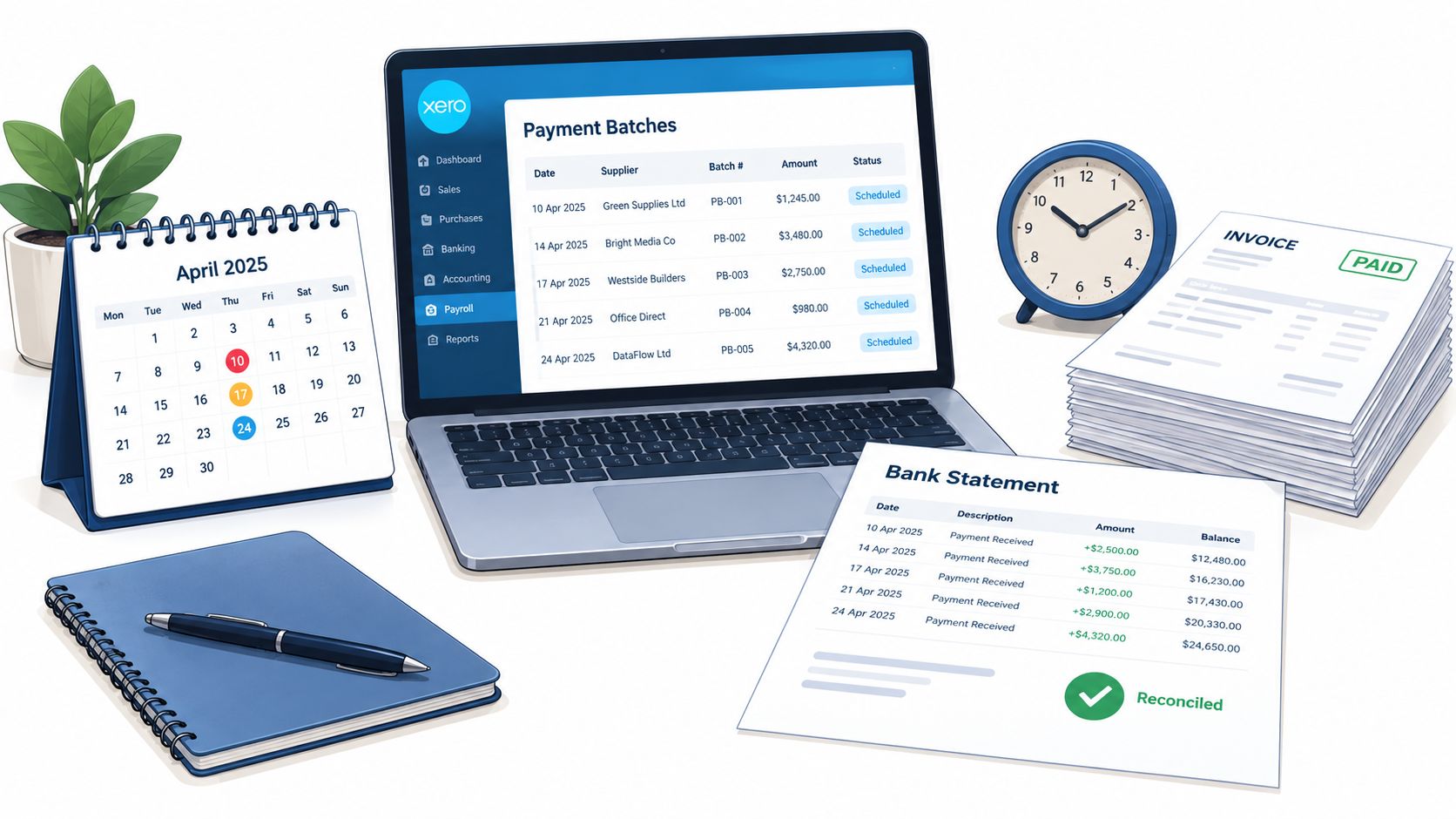
Choose a payment cadence you can control
Review approved bills against supplier terms, available cash, and other commitments before selecting payment dates. Don't schedule every bill immediately just because it has passed approval.
Payment Approach | When It Fits | Control to Preserve |
|---|---|---|
Individual payment | Unusual, urgent, or closely reviewed purchases | Match the specific instruction to the approved bill |
Grouped payment run | Routine suppliers reviewed together | Check both the total and each recipient |
Recurring review | Predictable subscriptions or operating costs | Confirm the current charge remains valid |
Release payments through the bank or payment service your business uses. A bank feed provides transaction evidence; it isn't, by itself, payment-release authority. Confirm which payment functions your actual setup supports rather than assuming all connections work alike.
If you're evaluating a Canadian payment route, Africhange's guide to pay Canadian bills with Africhange offers a separate resource to review. Keep provider selection distinct from recording the supplier obligation in Xero.
Match the payment without recording the expense twice
Record the actual settlement against the existing bill, then compare it with the bank transaction. Use a consistent Xero bank reconciliation routine to investigate differences.
Partial payment: Apply only the amount settled and leave the remaining obligation visible.
Supplier credit: Document how the credit reduces the amount due.
Overpayment: Investigate the excess and establish whether the supplier will refund it or retain a documented credit.
Paying the supplier and reconciling the bank are separate checks. Neither substitutes for the other.
Don't code the bank withdrawal as a fresh expense when it settles a bill already recorded. That would break the connection between the purchase and its payment.
Approval Controls and Segregation of Duties
Can the employee who creates a bill also approve it and release payment? Don't answer from job titles. Test what that person can do in Xero, the bank portal, and any connected approval software.
Role permissions aren't the same as segregation of duties. A workflow may show an approval status without independently enforcing your spending limits or verifying a supplier's changed bank account.
The risk isn't theoretical: 29 percent of small businesses experienced an attempt to trick accounts payable into paying a vendor improperly, according to the supplied payments-fraud guidance (payments fraud survey highlights). Faster processing shouldn't mean fewer checks.
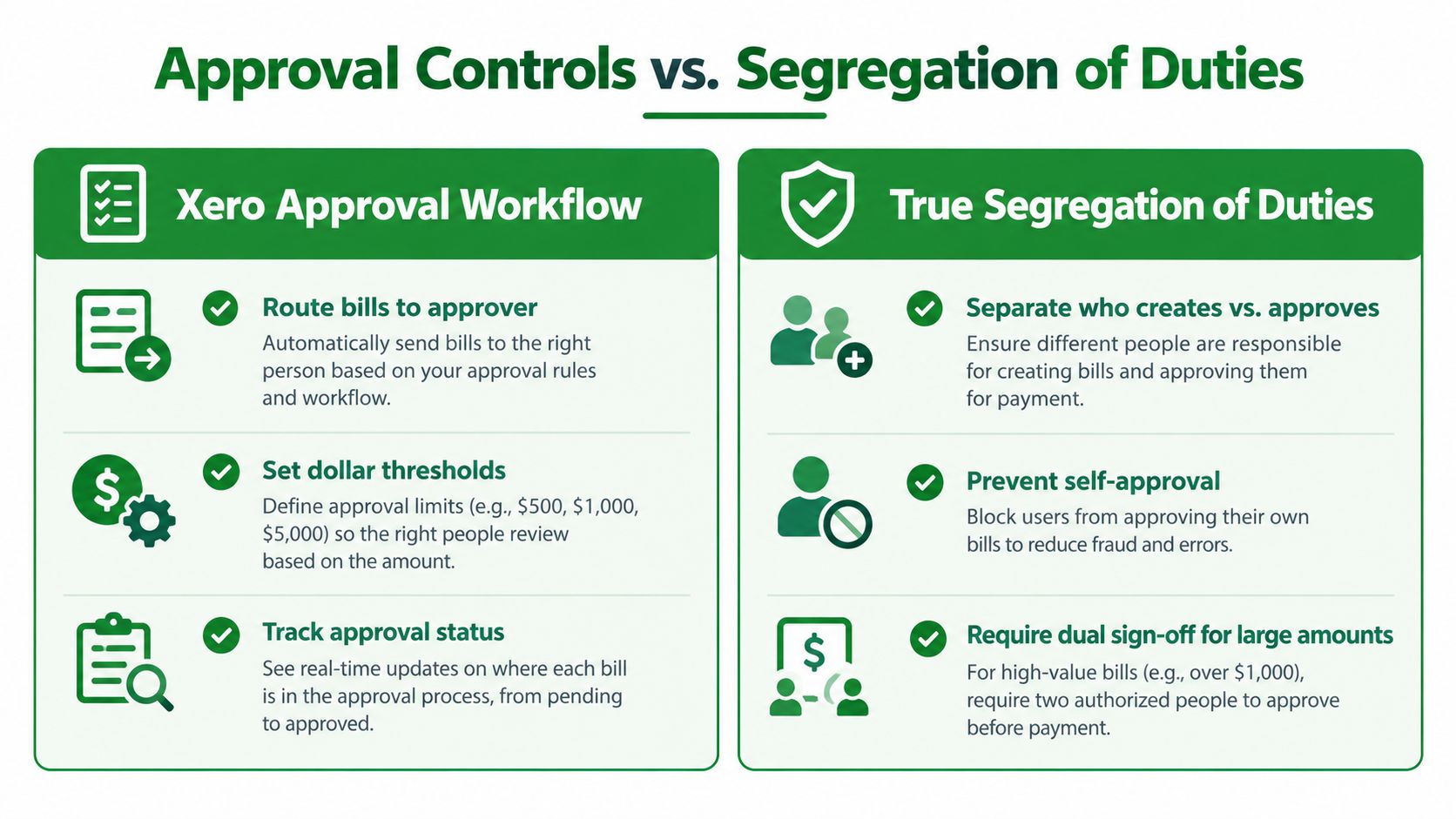
Build a maker-checker process around actual permissions
Treat dollar thresholds in the visual as a policy requirement to implement and verify, not a promise that basic Xero roles enforce them. The maker prepares the transaction; the checker independently reviews it.
For a small team, use these practical safeguards:
Separate entry from release: Let the bookkeeper prepare bills and payment instructions while the owner reviews and releases funds where possible.
Verify bank changes independently: Call a supplier using a previously verified number, not contact details supplied in the change request.
Document approval thresholds: Define who may approve which spending categories and amounts. Use a written approval record or a suitable external workflow where needed.
Inspect the history weekly: Review supplier changes, unusual authorisations, and corrections. Establish what a useful accounting audit trail should contain.
Write an emergency procedure: Name the backup approver and required evidence before an urgent payment arises.
Access design also belongs to broader information management. Menza on data governance for growing brands is a related resource when you're documenting ownership and access responsibilities.
Control boundary: Approval evidence should come from someone other than the person asking to move the money.
If staffing prevents full separation, have the owner review payment evidence promptly and inspect supplier-master changes independently. That's a compensating control, not complete segregation of duties.
Handling Duplicates Disputes and Foreign Currency Bills
A duplicate warning is a reason to investigate, not a complete prevention system. An invoice received through email and a vendor portal may have a different filename or reference even though both documents request payment for the same purchase.
For manual review, compare supplier, reference, amount, currency, tax treatment, and purchase evidence. Don't restrict your search to exact invoice-number matches. Broader small-business fraud guidance from PNC provides useful context for keeping human checks around payment processing.
Common AP Exceptions and Where They Land in Xero
Exception Type | Where to Track It in Xero | Next Action |
|---|---|---|
Suspected duplicate | Relevant bills and attached originals | Compare purchase evidence before cancelling anything |
Disputed charge | Bill notes and supporting correspondence | Assign an owner and document the disputed portion |
Partial delivery | Bill attachments and receiving evidence | Confirm what's owed and request corrected documentation |
Supplier credit | Credit record and affected bill | Verify the application and remaining balance |
Foreign-currency difference | Original bill and settlement documentation | Separate rate differences, fees, and invoice errors |
Use a central intake route and an exception register with an owner, reason, next action, and payment restriction. The bookkeeper can maintain the register, but the purchaser should resolve delivery questions and management should approve commercial settlements.
Don't erase an invoice merely because you disagree with it. Preserve the supplier's claim and ask the bookkeeper how to represent the obligation appropriately, especially if the bill is already authorised.
Keep currency evidence separate from purchase evidence
For international suppliers, retain the invoice's original currency. Record the exchange-rate source and date used for accounting, subject to your Xero setup and accounting policy.
Compare the original supplier amount with the settlement evidence. A different home-currency value may reflect exchange-rate movement rather than another purchase. Bank fees also need separate identification.
For credits, preserve the supplier's document and record which obligation it offsets. Don't reduce a bill informally and discard the explanation.
A consistent document management process for accounting keeps those decisions reviewable. Carry unresolved items into the close review so management can assess cash forecasts, reporting, supplier tax information, and sales-tax evidence without treating every exception as an ordinary overdue bill.
Closing the Month With Confidence
A useful month-end review asks whether Xero tells the same story as your invoices, approvals, supplier correspondence, and bank records. A tidy dashboard alone doesn't establish that the underlying transactions were correct.
Begin with the bills workspace. Look for unfinished drafts, stalled approvals, outstanding authorised bills, and paid items that still need bank investigation. Every unresolved item should have someone responsible for moving it forward.
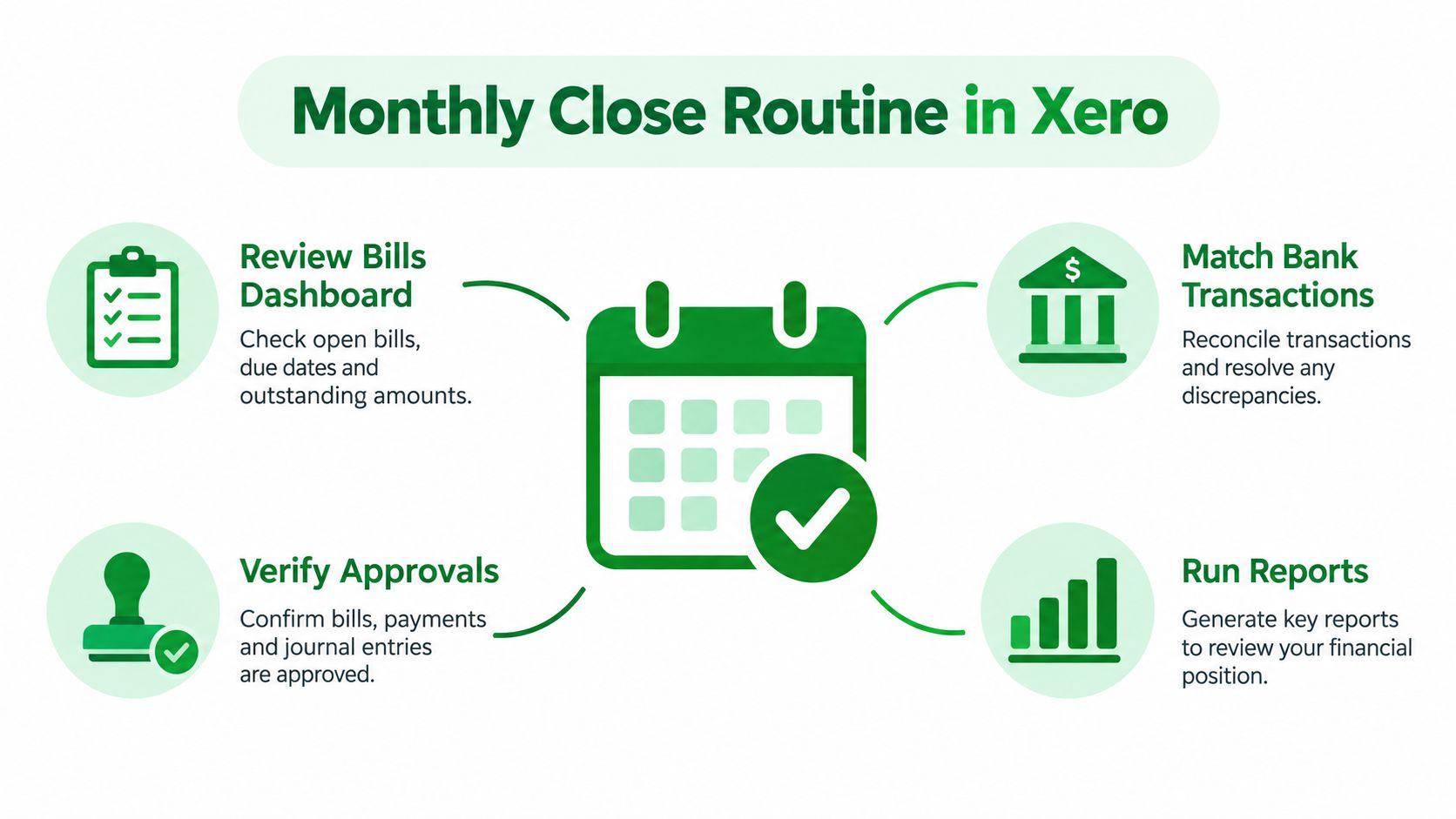
Reconcile the accounting picture
Use a repeatable Xero month-end checklist rather than relying on memory.
Compare payable reports: Reconcile the outstanding supplier balances to the accounts payable balance on the balance sheet using the same reporting date and basis.
Check period completeness: Investigate invoices received after month-end for purchases belonging to the closing period. Ask your bookkeeper whether an accrual or other adjustment is appropriate.
Review settlement differences: Resolve unmatched payments, unapplied credits, supplier refunds, and unexpected residual balances.
Inspect exception decisions: Confirm that disputes and currency adjustments have evidence and an accountable reviewer.
Prepare tax records: Review potentially 1099-reportable suppliers for complete identification and supporting information. Have your tax preparer determine reporting eligibility.
Preserve tax evidence: Retain invoices supporting sales-tax treatment and flag uncertain purchases for professional review.
Don't assume every draft belongs outside the reporting period. An unfinished workflow and an unrecorded obligation are different problems, and the close review needs to distinguish them.
Turn reviewed payables into a cash plan
Use approved obligations, supplier due dates, and unresolved exceptions to build the next payment forecast. Separate payments you intend to release from amounts awaiting a commercial decision.
For management reporting, investigate unusual expense classifications and supplier balances before presenting the financial statements. Explain unresolved items plainly rather than hiding them inside a reassuring total.
Keep a short operating reference beside your close checklist: capture preserves evidence; approval establishes readiness; payment settles the obligation; reconciliation verifies the cash movement. Use lifecycle statuses deliberately, require independent checking where feasible, and give exceptions a named owner.
The payoff is practical. You can answer what the business owes, which amounts remain uncertain, and what cash you need for the next payment run. Professional bookkeeping help is most useful when those answers require investigating accumulated errors, redesigning permissions, or coordinating supplier and bank records.
Book Tech LLC offers virtual Xero bookkeeping and end-to-end accounts payable management, including vendor payment tracking and reconciliation. Visit Book Tech LLC to discuss a controlled bill-to-bank workflow, resolve outstanding AP exceptions, and build a repeatable monthly close for your business.